Shift planning for care homes and home care
Rotations, open shifts, swaps and time off in one place. Staff have their shifts on their phone, and managers see the whole week on one screen.
- Phone and computerNothing to install
- Rest rules checked11 hours and a weekly day off
- Data in the EUNo resident information
- English and DanishEach employee chooses
No paper lists on the notice board, no text message chains
Your shifts and your rotation
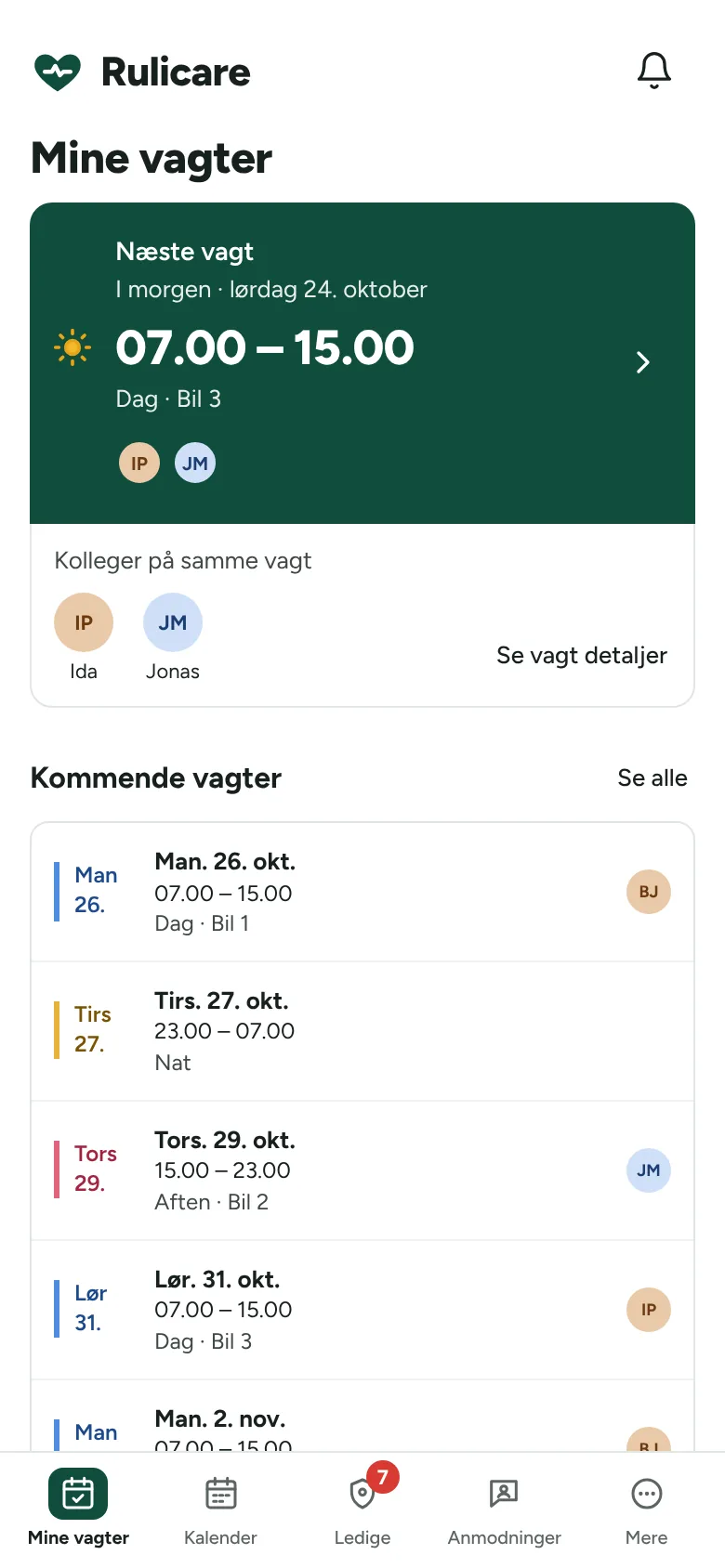
See your shifts months ahead, who you are working with and which car you are in.
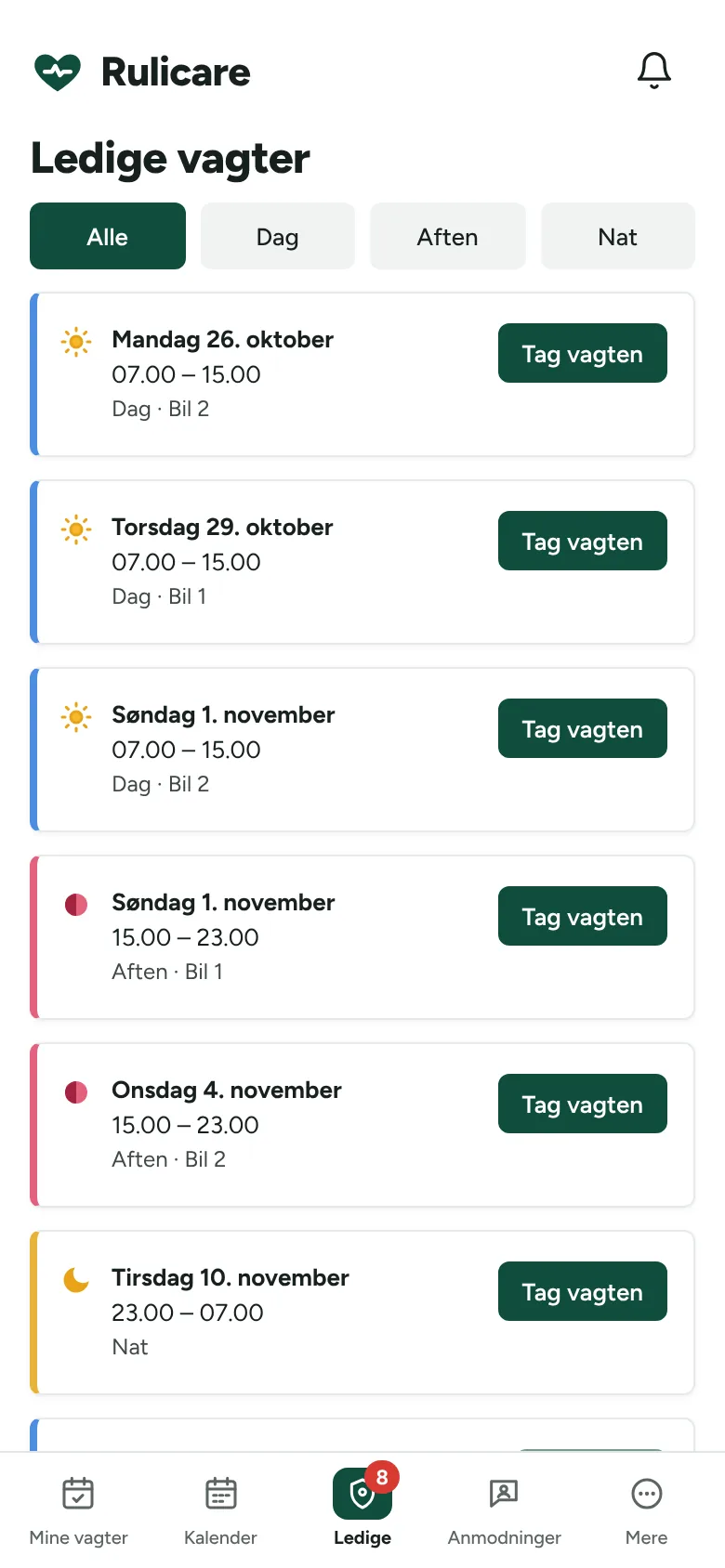
Take an open shift with one tap
You only see open shifts you can take without breaking the rest rules.
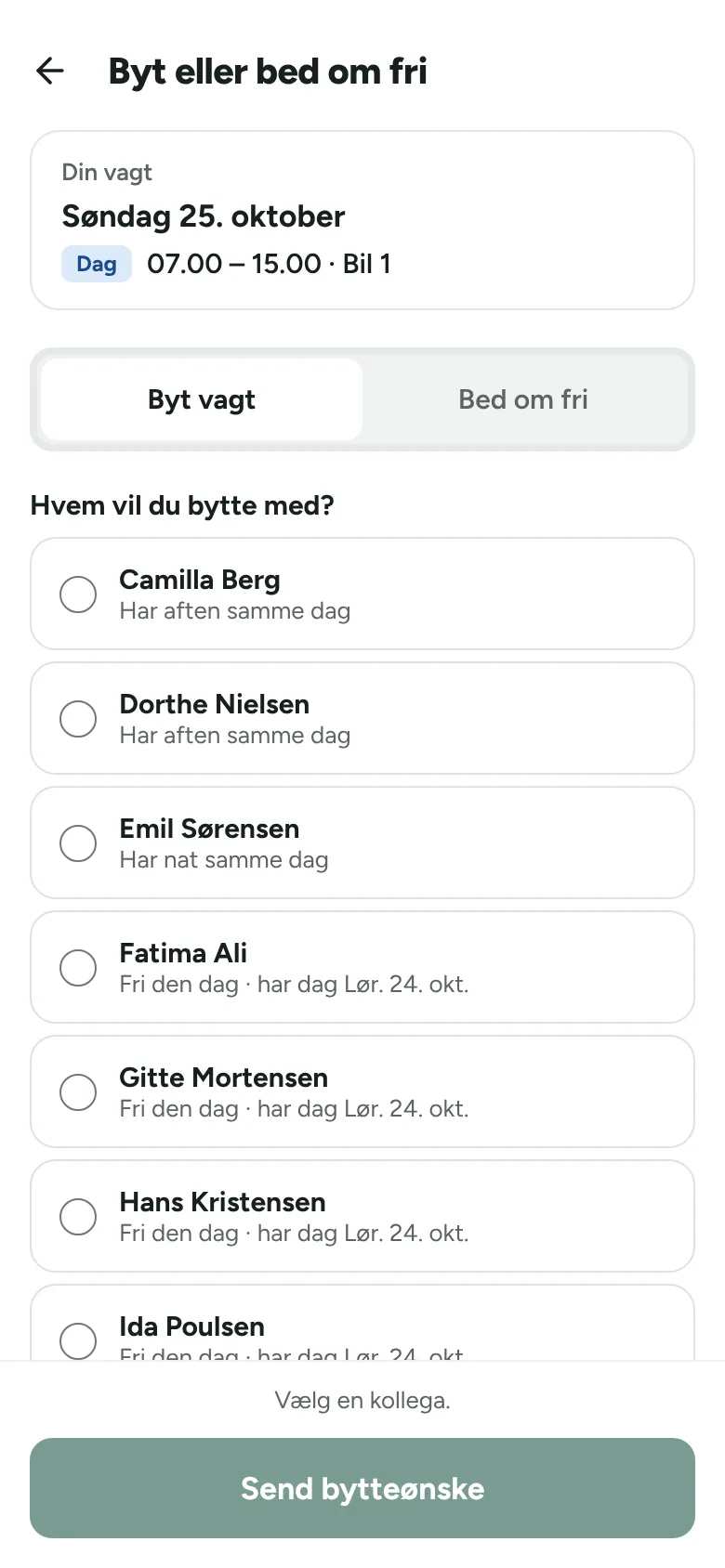
Swap or ask for time off
Pick a colleague and send a swap request. Once they agree, the manager approves.
Notified when something happens
Notifications about open shifts, swap requests and replies from your manager, plus a reminder the day before your shift.
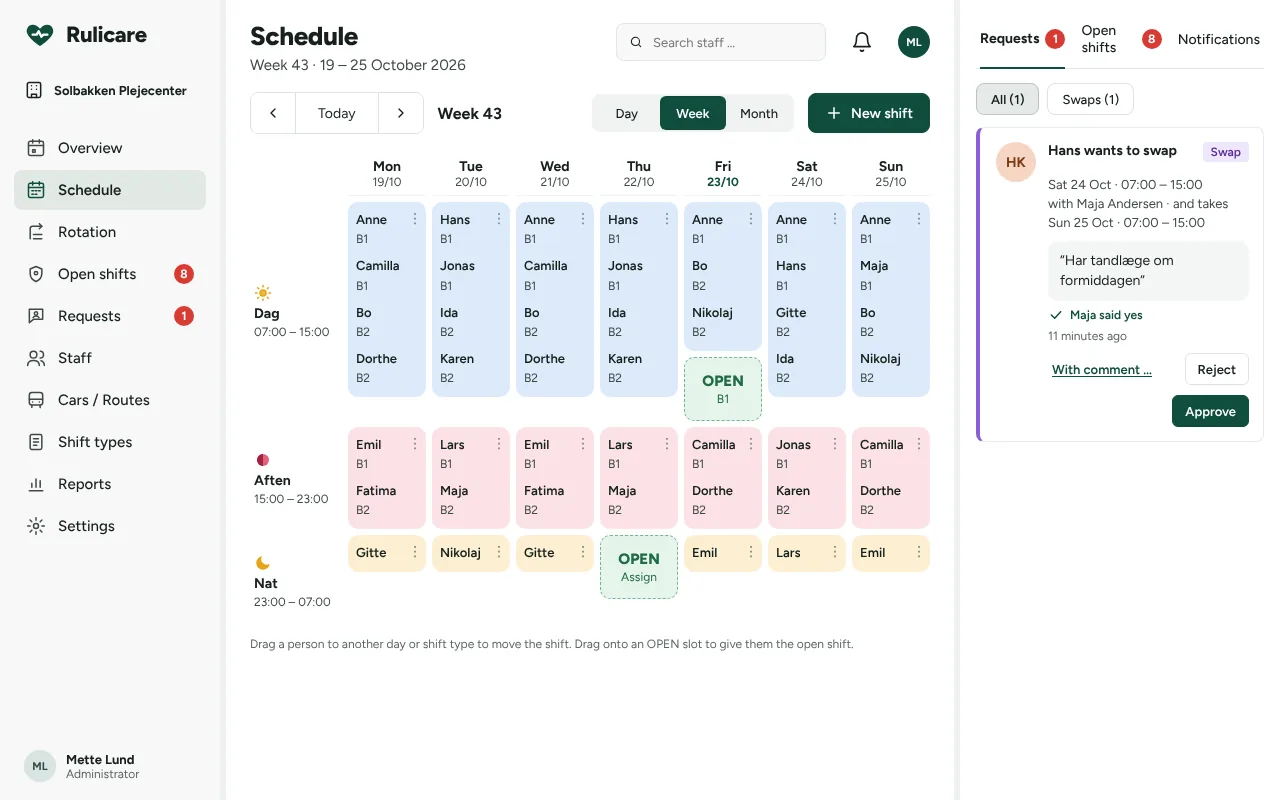
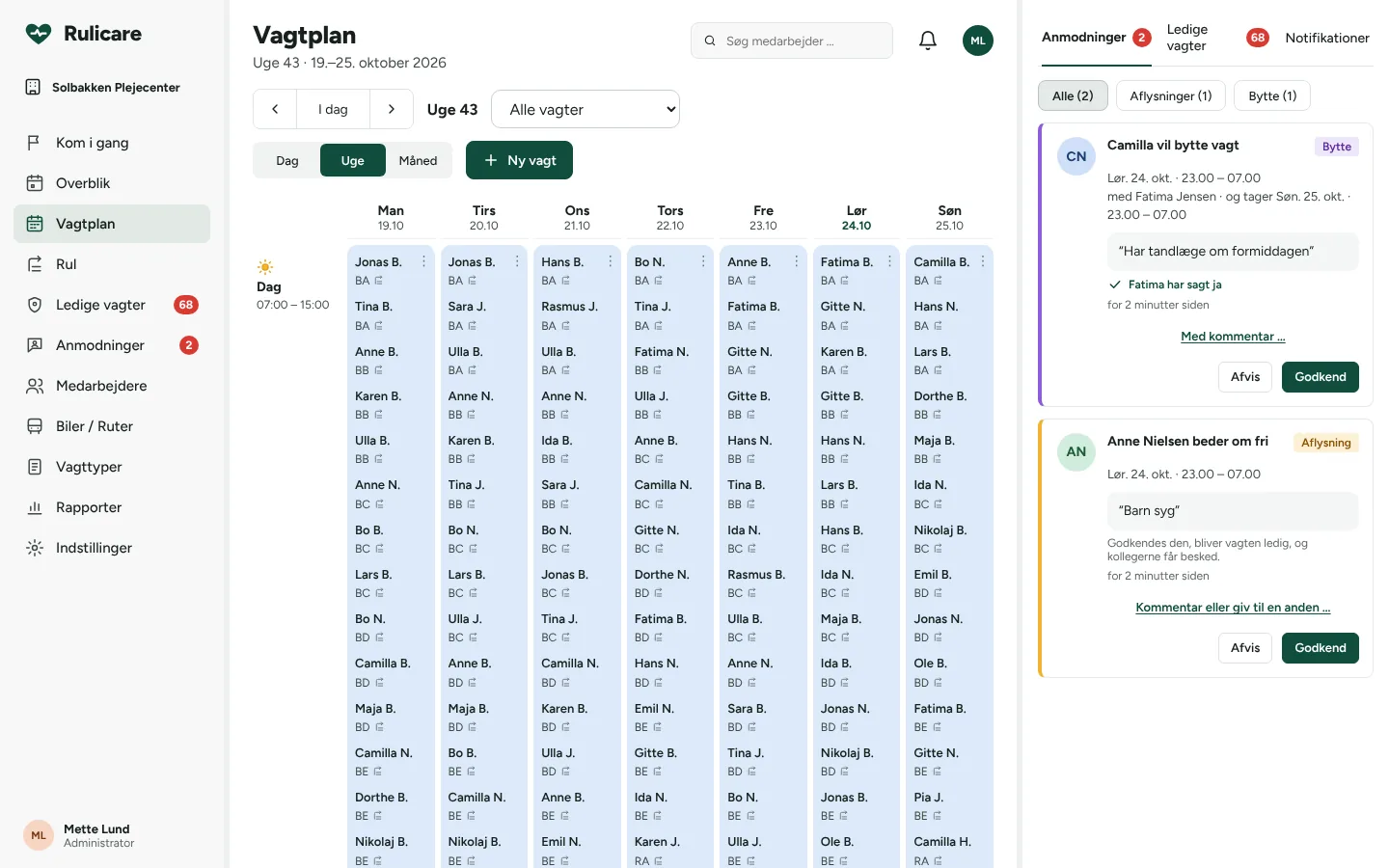
The whole week on one screen, even with 80 on shift
Build the rotation once and roll it out months ahead. Rulicare keeps track of rest time, cars and open slots, so you can spend your time on residents.
Rotations of 1 to 12 weeks
Assign staff with their own starting week. Unfilled slots automatically become open shifts.
Requests in one place
Approve swaps and time off next to the schedule. An approved cancellation becomes an open shift, and colleagues are notified.
Rest time and weekly day off
A warning before a shift leaves less than 11 hours of rest or misses the weekly day off. Exceptions require a reason.
Cars and seats
Link shifts to a car with a number of seats. Full cars are hidden when you add new shifts.
Hours and history
Export hours per employee to a spreadsheet. Every change is logged with who and when.
Built for large teams
Filters like "only mine", "my car" and "my rotation" keep lists readable, even with 100 employees.
Day Evening Night Open shift
Up and running in an afternoon
A guide in the app walks the manager through setup. We are happy to help set up your current schedule.
Shift types and cars
For example day 7-15, evening 15-23 and night 23-7, plus the cars you use.
The rotation
Build the pattern, assign staff and roll out shifts as far ahead as you like.
Your staff
Each employee gets an email with a link and logs in on their phone.
Pricing is agreed with each organisation based on its size and needs. Get in touch for a quote.
Get a quoteEverything included
- All features for staff and managers
- Hosting in the EU and backups
- Notifications by phone and email
- Updates and support
- Help setting up your rotation
- Data processing agreement
Only what is needed
Rulicare stores names, phone numbers, email addresses and shifts. No national ID numbers, no information about residents or clients and no routes with addresses. Data is stored with Cloudflare in the EU, and we sign a data processing agreement before you start.
Questions
Do staff need to install anything?
No. Rulicare opens in the browser. On a phone it can be added to the home screen, where it works like a regular app with notifications.
How many employees can it handle?
Rulicare is built and tested for sites with 80 to 100 employees and temporary staff.
Can we move our current schedule over?
Yes. Send us your shift types, rotation and staff list, and we will help with the setup.
Can shifts appear in my own calendar?
Yes. Each employee can subscribe to their shifts in, for example, Google Calendar or Outlook.
Can staff delete shifts?
No. Staff can ask for a swap or time off, but only managers change the schedule. Every change is logged.
See Rulicare with your own shifts
We show you the app with your shift types and part of your rotation. It takes 20 minutes, with no commitment.
Book a demoOr email daniel@rulicare.com